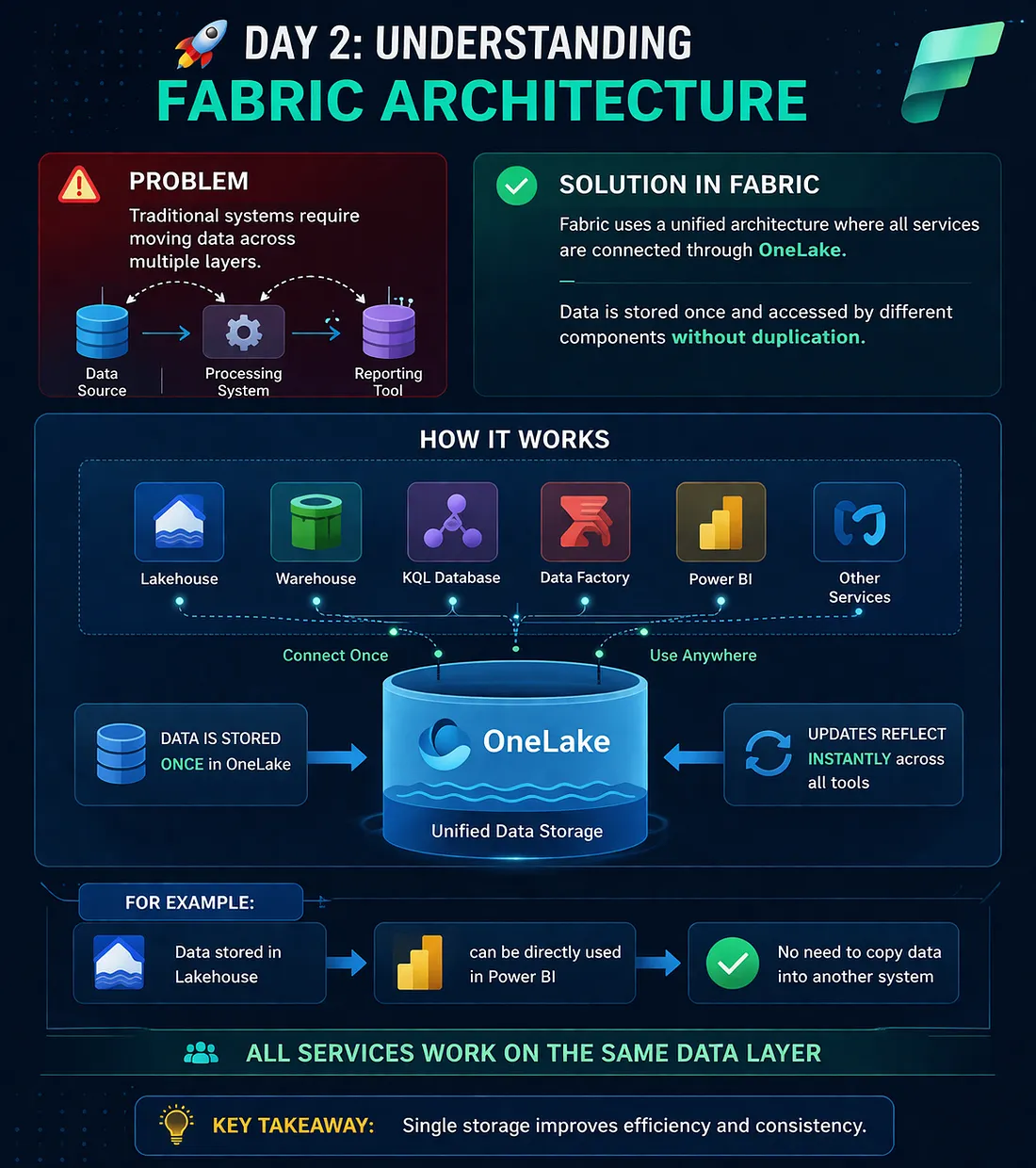
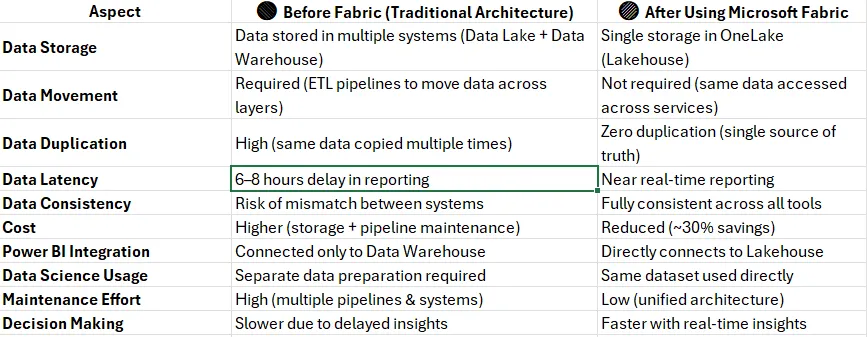
Problem: Fragmented Data Architecture In traditional data platforms, organizations typically use multiple disconnected systems: Data is stored in a Data Lake (e.g., ADLS) Processed in ETL tools (e.g., ADF, Databricks) Loaded into a Data Warehouse (e.g., SQL Server, Synapse) Finally visualized in BI tools (e.g., Power BI) 👉 This creates major challenges: Data duplication (same data stored multiple times) Latency issues (data refresh delays) Complex pipelines (more maintenance) Higher cost (storage + compute overhead) 🟢 Solution: Unified Architecture in Microsoft Fabric Microsoft Fabric introduces a OneLake-based architecture, where: Download the Medium app Data is stored once All services (Data Engineering, Data Science, Data Warehousing, Power BI) access the same data layer 👉 Think of OneLake as a “OneDrive for Data” Key Concepts: Single Source of Truth No Data Movement Required Interoperability Across Services ⚙️ How It Works (Simplified Flow) Data is ingested into OneLake (Lakehouse) Data is transformed using notebooks / pipelines Same data is directly used for: Reporting (Power BI) SQL Analytics (Warehouse) Machine Learning (Data Science) 👉 No copying, no duplication — just different views of the same data Example Let’s clearly compare how organizations operate before and after adopting Microsoft Fabric architecture
No comments yet.