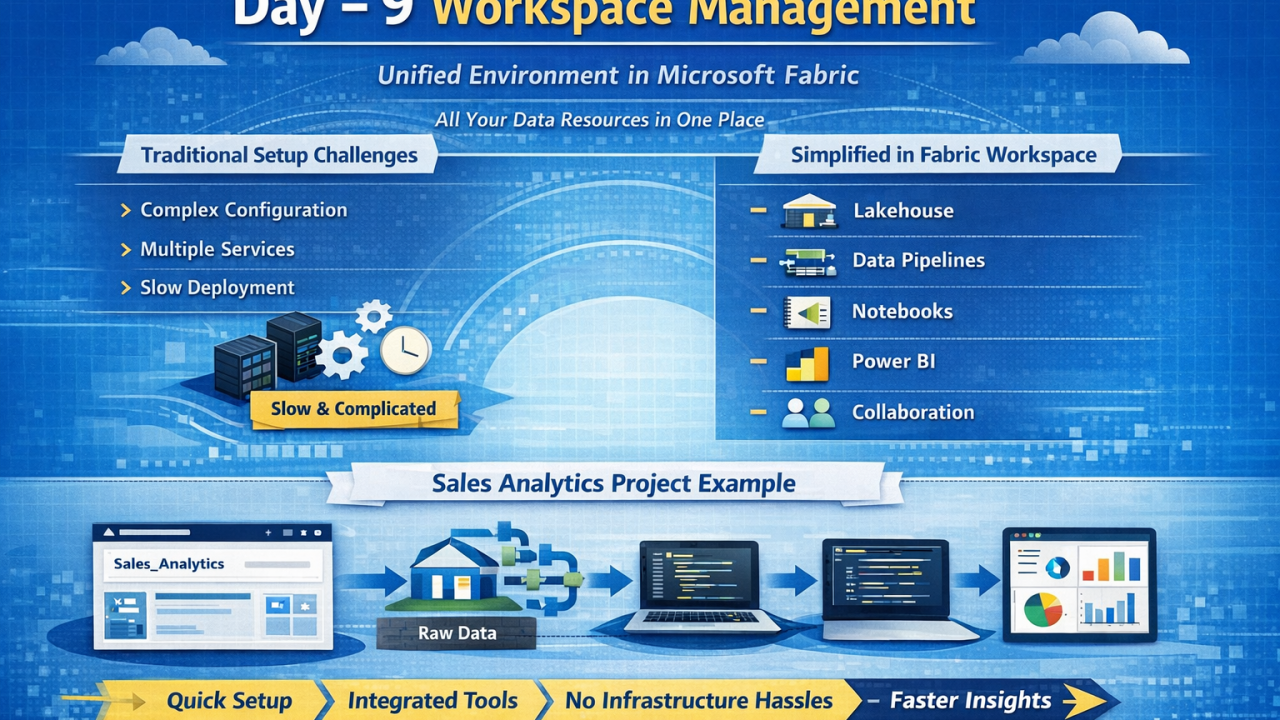
Introduction In any data platform, the first and most critical step is setting up the environment where all development and analytics activities will take place. In Microsoft Fabric, this environment is called a Workspace. A Workspace acts as a logical container that holds all your data engineering, data science, and reporting assets in one place—very similar to a Resource Group in Azure, but designed specifically for analytics workloads. 🔍 The Problem with Traditional Setup In traditional data ecosystems, setting up a working environment is often: Time-consuming Dependent on multiple services (storage, compute, networking) Requires manual configuration and integration Needs coordination across teams For example, you might need to: Provision storage separately Configure compute clusters Set up ETL tools Integrate reporting tools This leads to delays before actual development even begins. 💡 How Microsoft Fabric Solves This Microsoft Fabric provides a unified SaaS-based platform, where the workspace comes pre-integrated with all necessary components. Once you create a workspace, you instantly get access to: Data storage (Lakehouse) Data pipelines Notebooks for transformation Dataflows Power BI for reporting There is no need for manual infrastructure setup or service integration. Everything works seamlessly within the same ecosystem. 📌 Key Capabilities of a Workspace Inside a Fabric Workspace, you can: Create and manage Lakehouses for storing structured and unstructured data Build Data Pipelines for ingestion and orchestration Use Notebooks (PySpark) for data transformation Develop Dataflows Gen2 for low-code transformations Create Power BI reports and dashboards Manage access, roles, and permissions Collaborate with team members in a shared environment This makes the workspace a single source of truth for your entire data project. 🧠 Detailed Example: Sales Analytics Project Let’s understand this with a real-world scenario. Step 1: Create Workspace You create a workspace named “Sales_Analytics” to organize everything related to your project. Step 2: Add Lakehouse Store raw sales data (CSV/Excel/SQL extracts) Maintain structured tables for reporting Step 3: Build Data Pipeline Ingest data from sources like Excel, SQL Server, or APIs Schedule daily or hourly refresh Step 4: Data Transformation Use Notebooks (PySpark) to clean and transform data Alternatively, use Dataflows for low-code transformation Step 5: Reporting Connect Power BI directly to the Lakehouse Build dashboards showing KPIs like: Step 6: Collaboration Share workspace access with team members Control permissions (Viewer, Contributor, Admin) ➡️ All these steps are executed within a single workspace, without switching between multiple tools or services. ⚡ Why This Matters The biggest advantage of Fabric Workspaces is speed and simplicity: Faster setup (minutes instead of days) Reduced operational overhead No infrastructure management Seamless integration of tools Improved collaboration 🎯 Key Takeaway A Workspace in Microsoft Fabric is not just a container—it is a complete working environment that enables end-to-end data workflows. 👉 Faster Workspace Setup = Faster Development = Faster Insights
No comments yet.